Daniel Łaszkowicz
IT Learning Log
Preparing for my first IT role through structured certification study, homelab projects, documentation, and practical troubleshooting.
Evidence placeholders
Workspace photo
Desk, monitor, study notes, or current lab setup.
/public/images/workspace/
Homelab capture
VMs, Windows Server, topology, or documentation view.
/public/images/homelab/
Project screenshot
AD, Event Viewer, DNS, Wireshark, or README evidence.
/public/images/projects/
Currently working on
The active learning queue.
A simple view of what is done, what is being studied, and what comes next before applying for Helpdesk roles.
- Passed
CompTIA A+ Core 1
Baseline hardware, networking, mobile, virtualization, and troubleshooting objectives completed.
- Studying now
CompTIA A+ Core 2active now
Recent focus: Windows tools, security settings, operational procedures, and troubleshooting flow.
- Documentation phase
Active Directory documentation
Turning lab work into screenshots, notes, topology, user/group examples, and lessons learned.
- Next cleanup
CV, LinkedIn, and GitHub
Preparing application material around documented labs instead of generic portfolio claims.
- After Core 2
Helpdesk applications
Targeting first-line support roles where Windows troubleshooting and clear notes matter.
Project archive
Labs, notes, and evidence of work.
Each project is written like a support artifact: problem, what was built, tools used, screenshots, and lessons learned.
AD lab screenshot placeholder
/public/images/projects/active-directory-homelab/
Homelab
Complete / DocumentingActive Directory Homelab
A small Windows Server domain for practicing account lifecycle, groups, shared resources, permissions, and basic GPO work.
Problem
Practice common identity and access tasks that appear in real support environments.
Implementation
A Windows Server domain with users, groups, DNS, shared resources, and basic Group Policy practice.
Technologies
Screenshots / artifacts
- Server Manager domain overview
- Active Directory Users and Computers structure
- Group Policy notes and screenshots
Lessons Learned
- Document each change so the lab reads like a real support handover.
- Practice least-privilege thinking before adding permissions.
Windows admin screenshot placeholder
/public/images/projects/windows-administration-lab/
Windows
OngoingWindows Administration Lab
Practical exercises for Windows 10/11 setup, local users, services, event viewer, updates, storage, and common troubleshooting.
Problem
Build confidence with the checks and tools used during first-line Windows troubleshooting.
Implementation
A repeatable Windows support checklist covering local accounts, services, updates, storage, and event logs.
Technologies
Screenshots / artifacts
- Event Viewer examples
- Windows services checks
- Troubleshooting checklist captures
Lessons Learned
- Start with repeatable checks before jumping to conclusions.
- Keep notes short enough to be useful during a support call.
Networking capture placeholder
/public/images/projects/networking-fundamentals-lab/
Networking
OngoingNetworking Fundamentals Lab
A focused networking practice space for TCP/IP, DNS, DHCP, basic routing, packet captures, and troubleshooting flow.
Problem
Learn how to isolate basic connectivity, DNS, DHCP, and packet-level symptoms.
Implementation
A small troubleshooting notebook for IP configuration, DNS lookups, DHCP behavior, and packet captures.
Technologies
Screenshots / artifacts
- Packet capture examples
- Network notes
- Topology sketch
Lessons Learned
- Name the layer before troubleshooting the symptom.
- Use packet captures to confirm behavior instead of guessing.
SOC lab evidence placeholder
/public/images/projects/wazuh-soc-lab/
Coming Soon
PlannedWazuh / SOC Lab
A future blue-team lab for endpoint visibility, log collection, alert triage, and beginner SOC investigation workflow.
Problem
Create a beginner SOC workflow for collecting logs, reading alerts, and writing simple investigations.
Implementation
Planned lab for Windows endpoint logs, Wazuh alerts, simple triage notes, and beginner investigation writeups.
Technologies
Screenshots / artifacts
- Planned dashboard
- Alert examples
- Triage notes
Lessons Learned
- Start with clear log sources before adding detection complexity.
- Write investigations so another junior analyst could follow them.
Recent lab evidence
Small proof that the work is happening.
A compact lab log of practical tasks that can later link to screenshots, README sections, and troubleshooting notes.
Created AD users and groups
Practiced basic account structure, group naming, and documenting why each object exists.
documentation target
Configured shared folder permissions
Tested access with different users and noted where permissions became confusing.
documentation target
Built OU hierarchy
Organized a simple lab domain so future GPO examples are easier to explain.
documentation target
Reviewed Event Viewer entries
Used logs as a first troubleshooting step instead of guessing from symptoms.
documentation target
Captured packets in Wireshark
Practiced looking at DNS and basic connectivity behavior in packet captures.
documentation target
Documented troubleshooting notes
Kept notes short enough that another junior technician could follow them.
documentation target
Recent practice
Practical work instead of buzzwords.
A recruiter should be able to see the kind of support tasks I am practicing, not just a list of technologies.
Active Directory practice
- Created AD users and groups
- Organized basic OU structure
- Practiced permissions scenarios
- Documented lab screenshots
Windows troubleshooting
- Checked Event Viewer logs
- Reviewed Windows services
- Practiced local account tasks
- Built support checklists
Networking basics
- DNS troubleshooting
- DHCP behavior notes
- TCP/IP review
- Wireshark packet captures
Security habits
- Least privilege thinking
- Basic log review
- Threat awareness notes
- Beginner SOC preparation
Certifications & education
A transparent certification path with study still in motion.
Passed work, current preparation, and future targets are separated clearly so the page does not overclaim experience.
CompTIA A+ Core 1
PassedHardware, networking, mobile devices, virtualization, and troubleshooting foundations.
CompTIA A+ Core 2
In ProgressOperating systems, security basics, software troubleshooting, and IT operational procedures.
Network+
FutureA planned next step for stronger networking fundamentals and support confidence.
Security+
FutureA planned security baseline before moving deeper into SOC and blue-team practice.
Education
- IT / Cybersecurity studies with a practical focus on support, systems, and security fundamentals.
- Independent homelab practice used to turn theory into documented troubleshooting evidence.
Learning roadmap
A realistic path from study to first IT role and SOC basics.
The roadmap is intentionally direct: finish the immediate Helpdesk foundation first, then keep building toward blue-team work.
- Passed
A+ Core 1
Completed with hands-on practice.
- In progress
A+ Core 2
Finishing OS, security, and troubleshooting topics.
- Building
AD Documentation
Documenting lab steps and support scenarios.
- Next
CV & LinkedIn
Improving profile and project evidence.
- Next
Helpdesk Apps
Applying for Helpdesk / Junior IT roles.
- Goal
First IT Job
Land the first IT role and keep learning.
- Future
SOC Foundations
Start log review, alert triage, and Blue Team practice.
Selected Web Projects
Small applications built alongside my IT learning journey.
While my primary focus is Helpdesk, Windows administration, and cybersecurity foundations, I also build small web projects to practice planning, documentation, deployment, and product thinking.
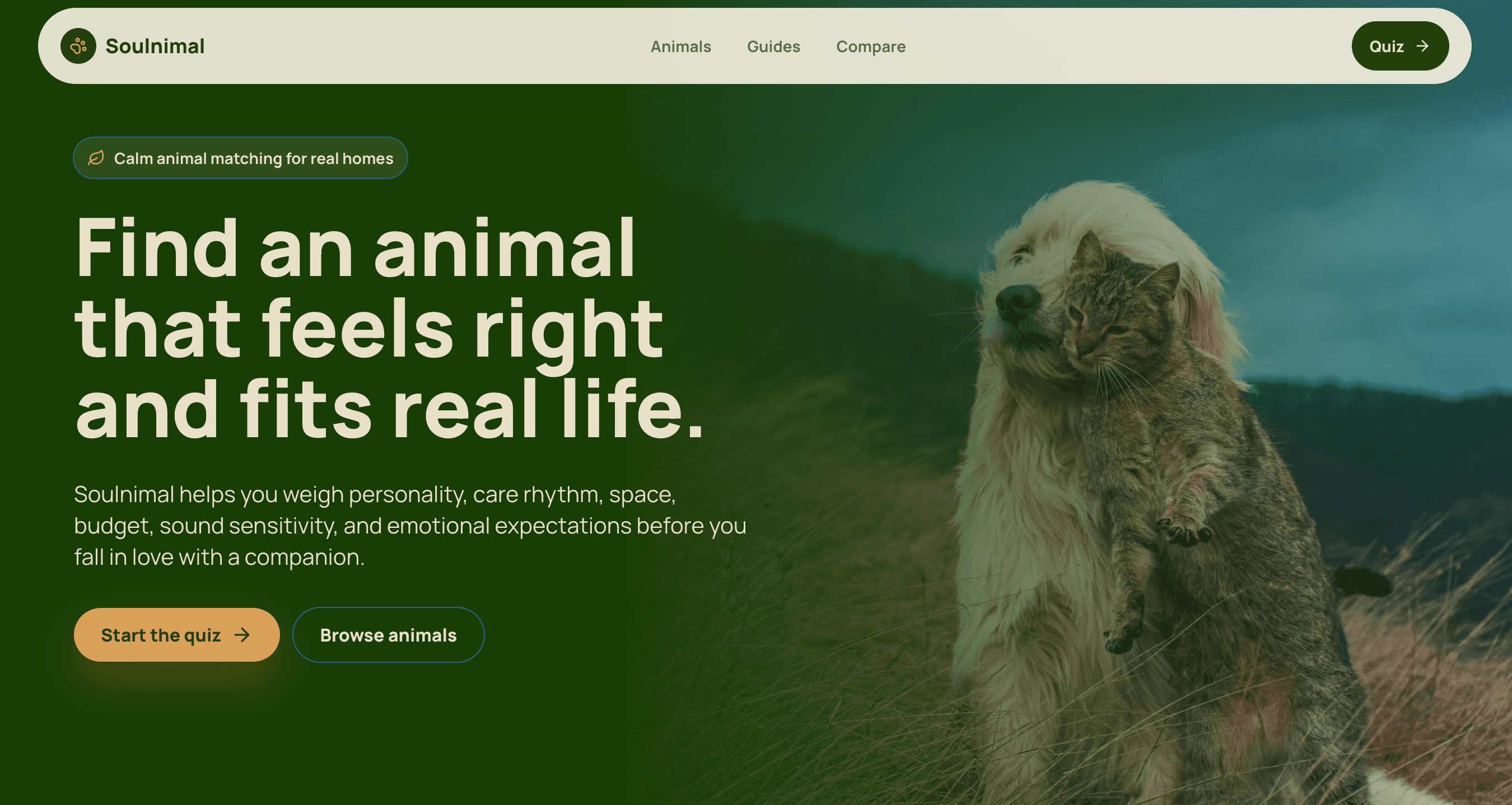
Soulnimal
LiveAnimal matching quiz and educational platform focused on responsible pet ownership.
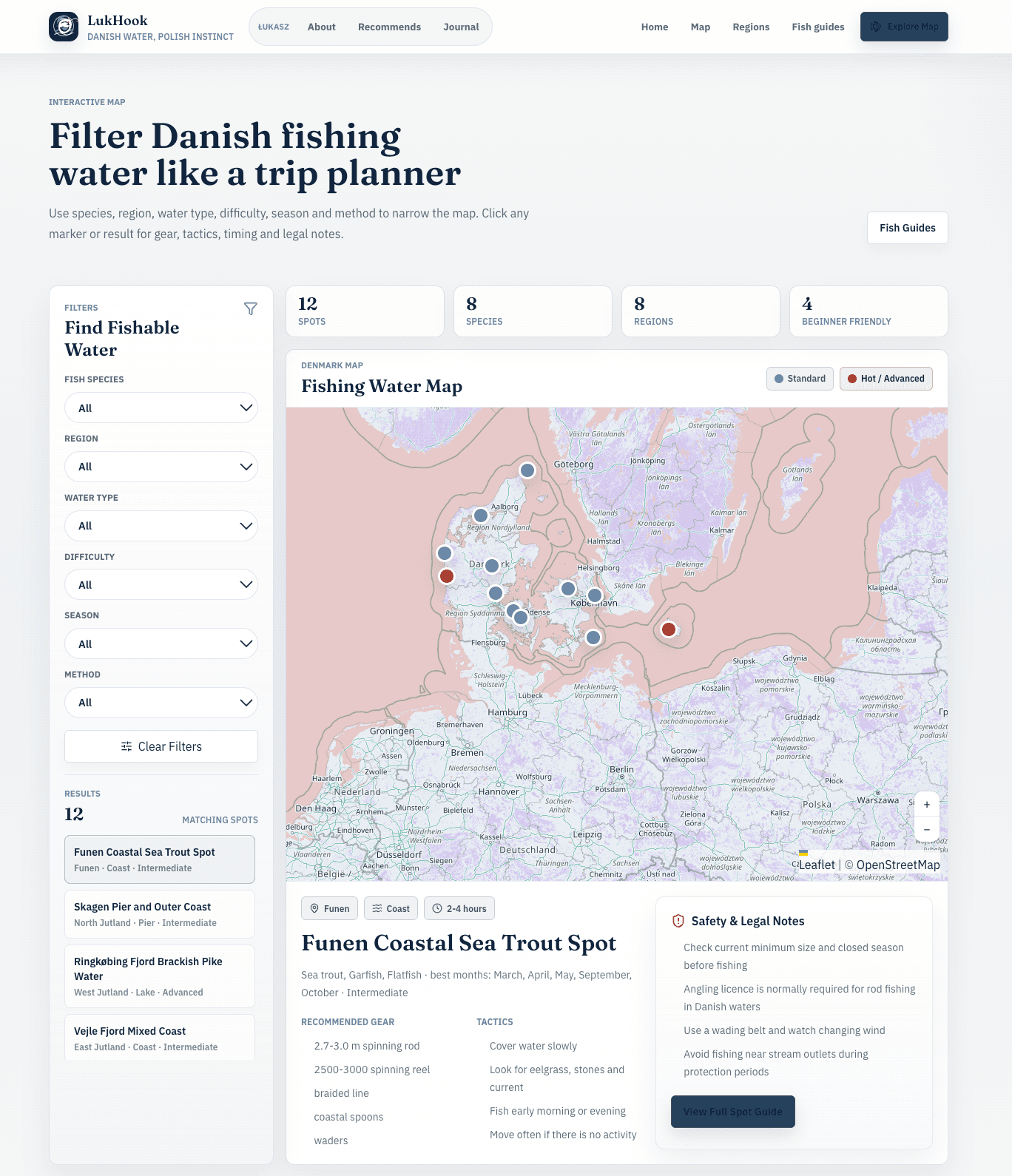
LukHook
LiveFishing knowledge platform combining location discovery, guides and trip planning.
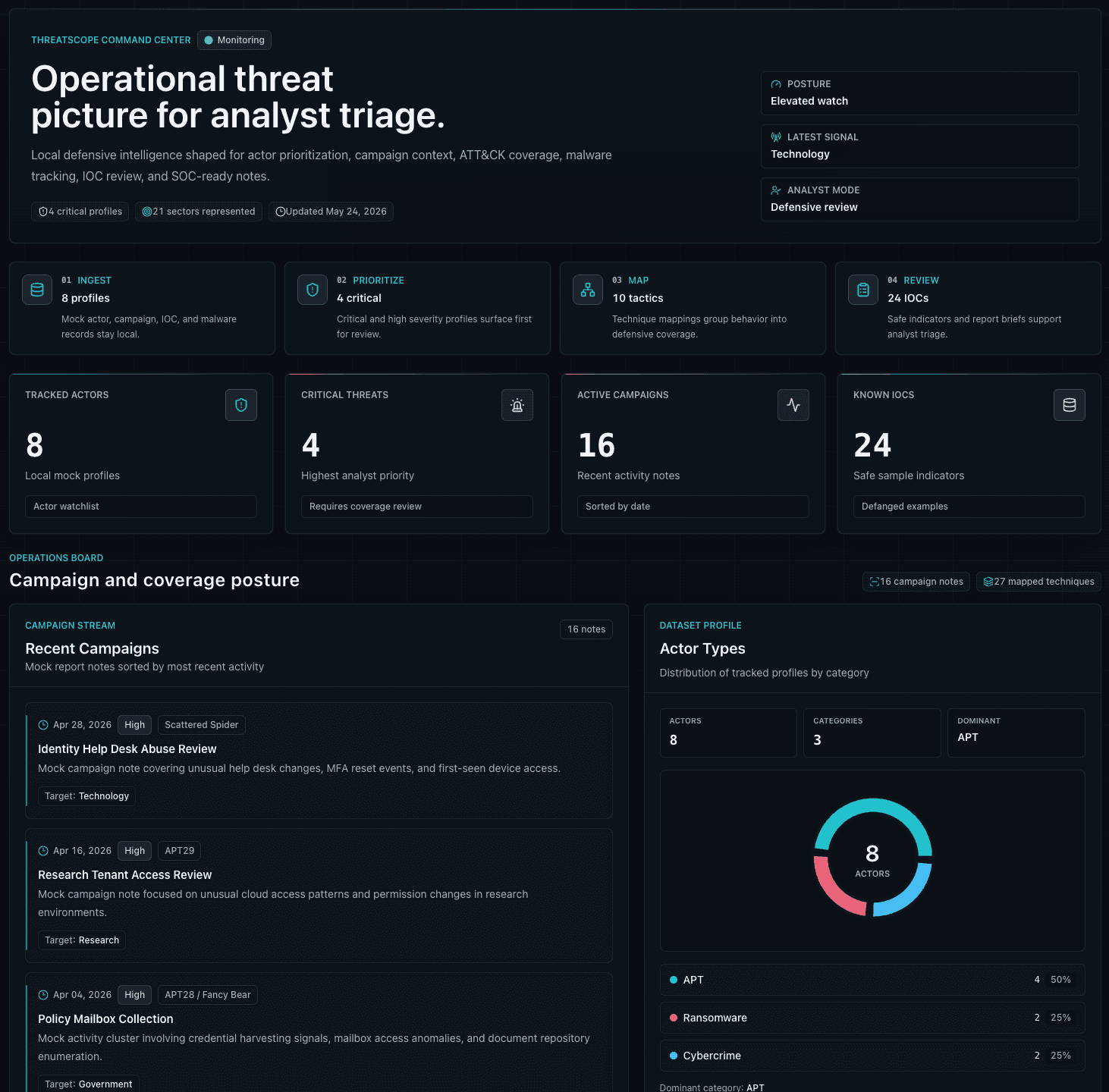
ThreatScope
ConceptCybersecurity dashboard concept exploring analyst workflows and threat visibility.
Contact
Open to Helpdesk / Junior IT conversations.
The fastest fit is an entry-level support environment where troubleshooting, clear documentation, Windows administration, and steady learning matter.